How do I find queries that underutilize a warehouse?
Last updated: November 3, 2025
There are a few approaches to this:
Method 1: Use the "Utilizable Warehouse Size" column
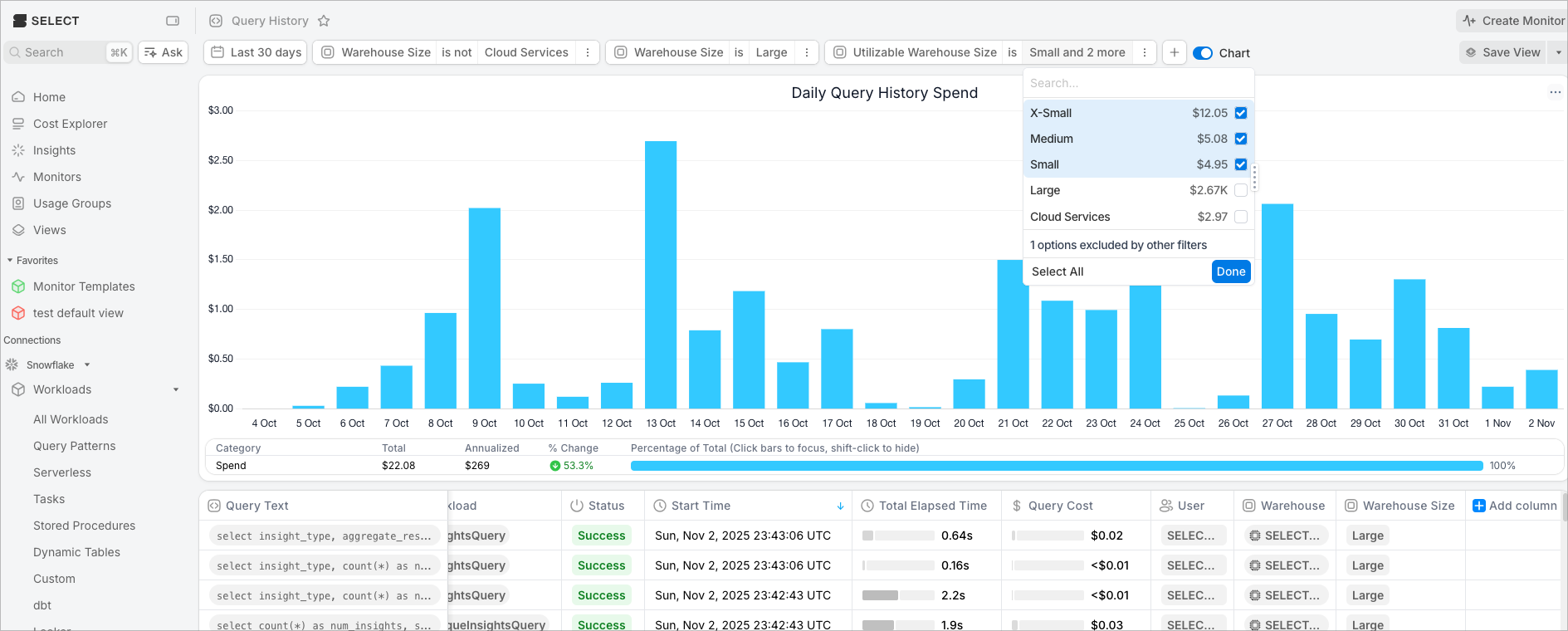
The Query History page has a field called "Utilizable Warehouse Size". You can use this field to filter to queries that could have run on a smaller warehouse compared to what it actually ran on. Here is an example of filtering to all queries that ran on a Large that could have run on Medium, Small, or X-Small:
Method 2: Use the Partitions Scanned column
You can add the Partitions Scanned column to the query history, and use that as a heuristic to determine warehouse size. Here's some more info:
https://select.dev/posts/snowflake-warehouse-sizing#using-partitions-scanned-as-a-heuristic
Method 3: Find short running queries on larger warehouses
BI users need all queries to run fast. But for ETL jobs where the user is not waiting for the query to finish, it is optimal for each query that runs on a warehouse larger than an X-Small to run for 60 seconds. If you have an ETL query running on a medium that takes 10 seconds, we can assume it would run for ~40 seconds on an X-Small.
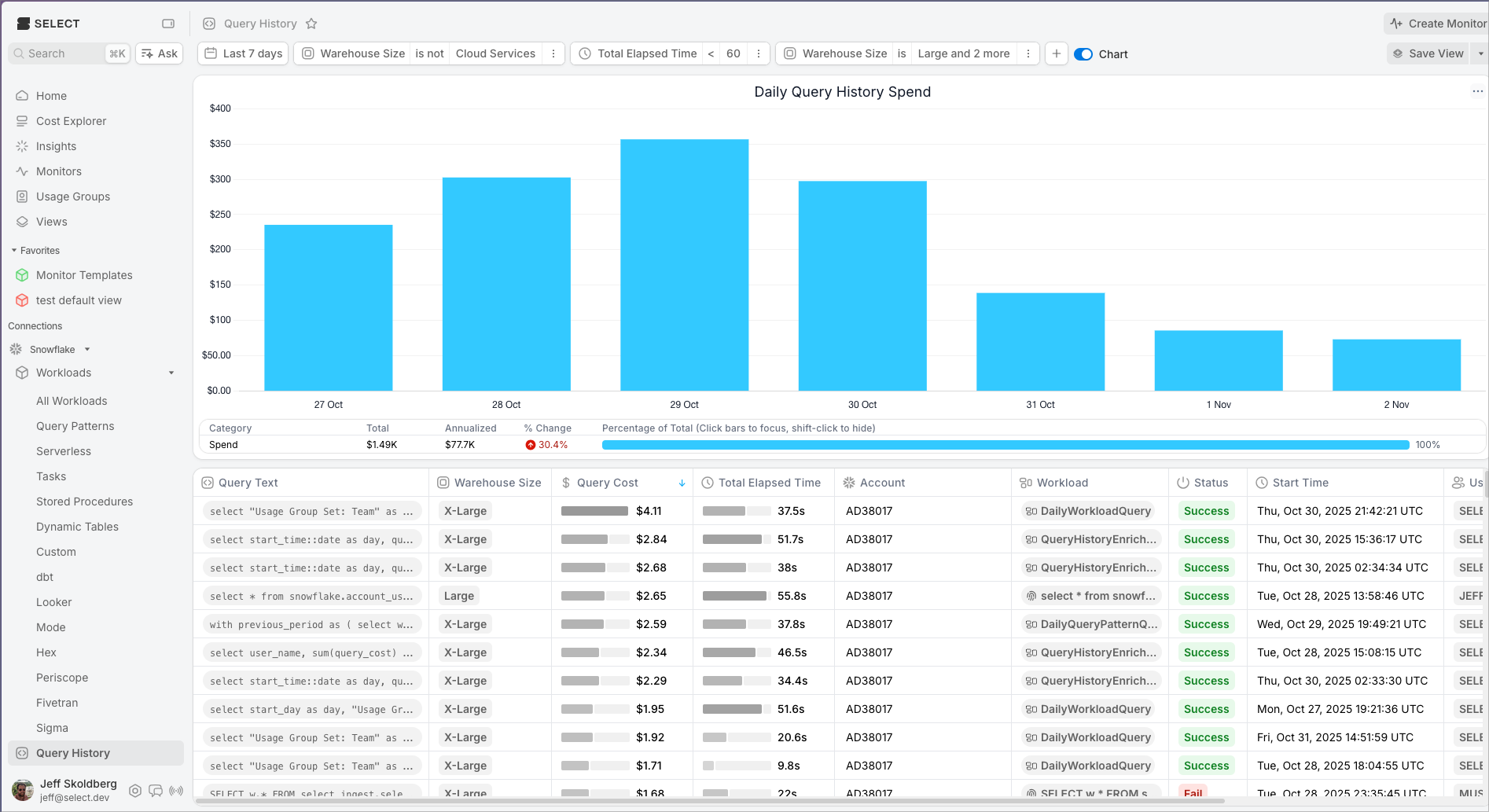
Therefore, one thing you can do is filter the query history to larger warehouses and shorter run times. Sort by query cost to find the most impactful queries. Here's an example: