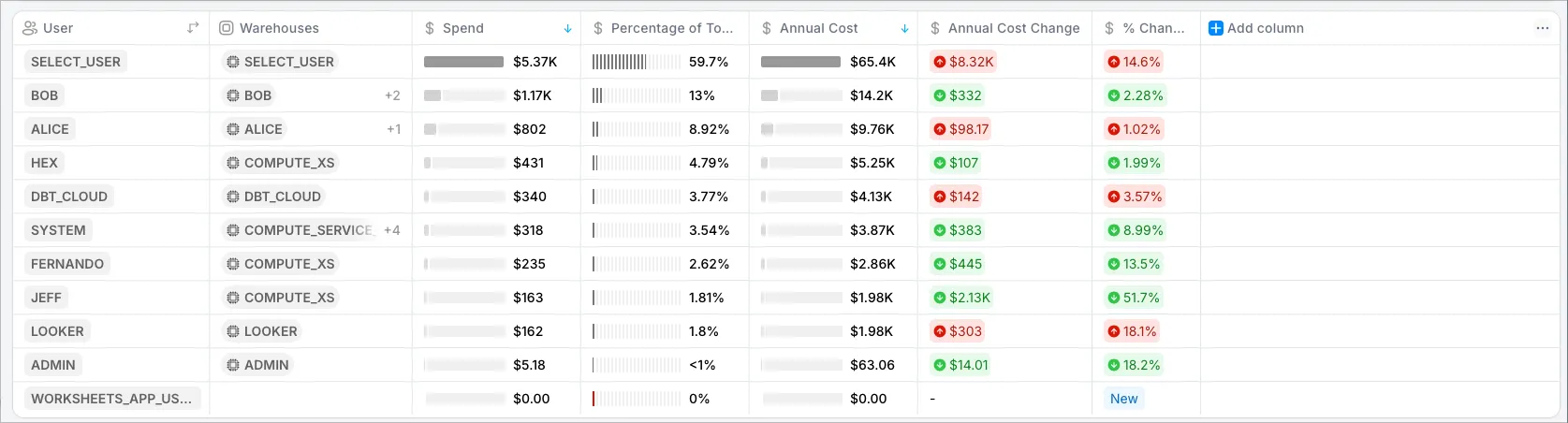
How do I display Snowflake spend by User?
Last updated: September 12, 2025
On the All Workloads page, you can use the 3 dots in the chart and group by user. (Use the search and type ‘user’).
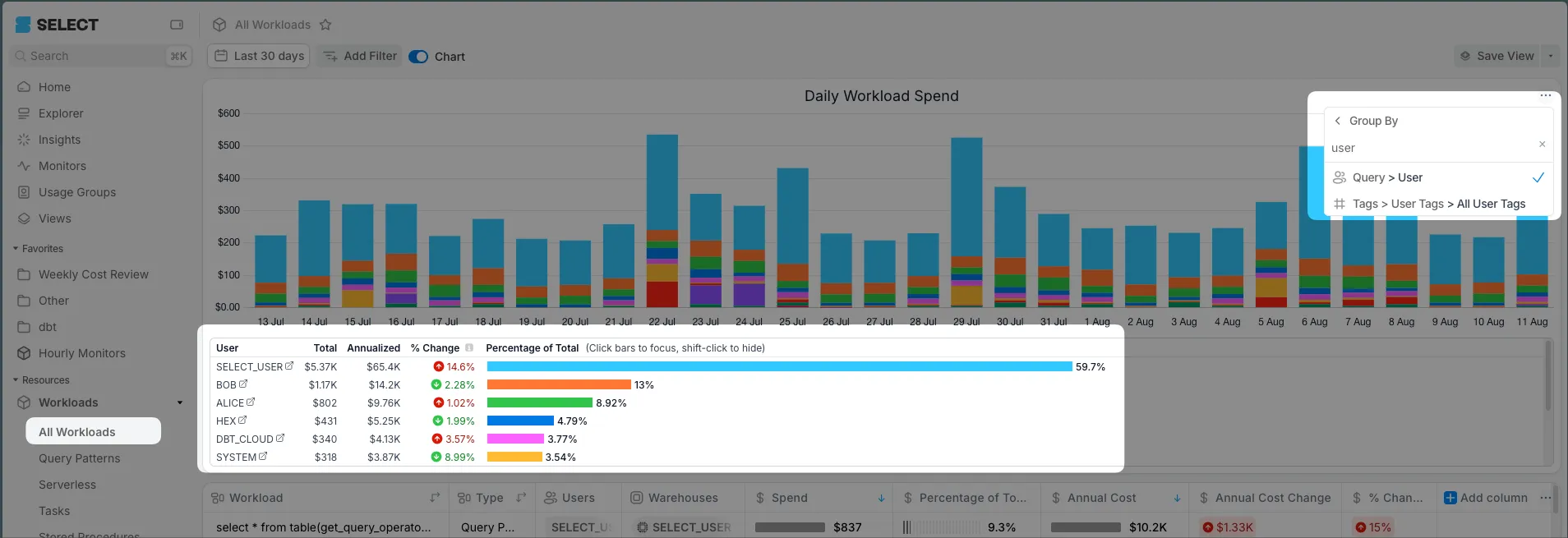
Also, in the table, you can remove columns by clicking a column header and click Hide. Then add ‘user’ to the Group By using the blue + Add Column on the right.
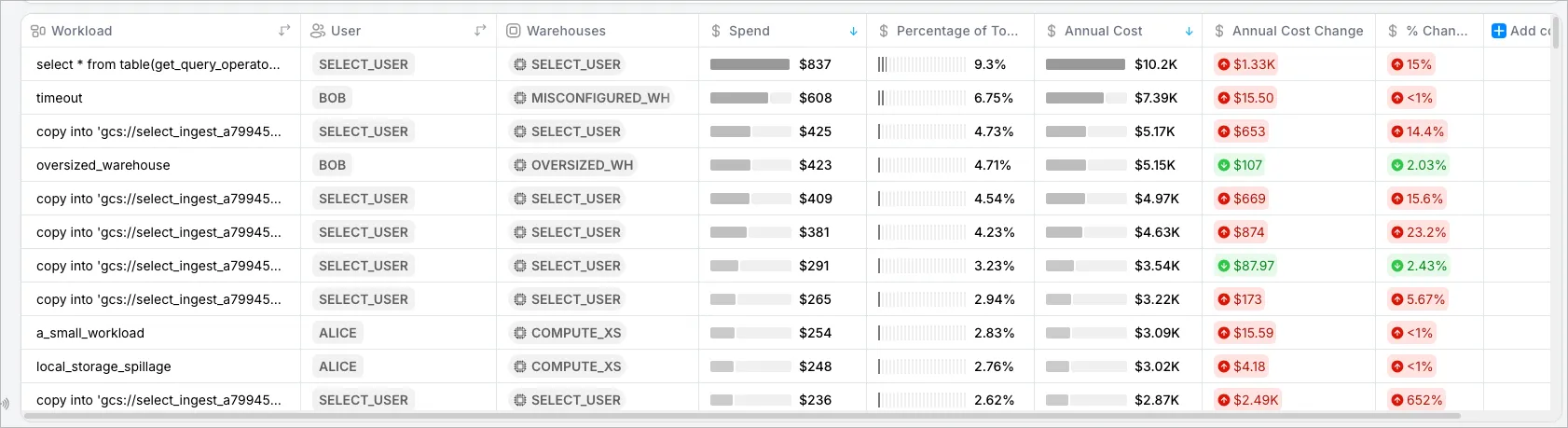
Here’s an example at the Workload + User grain.
Here’s an example at the User grain.