How can I see my Automated Savings in Dollars?
Last updated: October 14, 2025
On the warehouses tab, click the 3 dots in the top right of the chart. Click Metric -> Savings -> Dollars Saved to view realized dollars saved. If Automated Savings was not previously enabled, you can choose Metric -> Savings -> Estimated Dollars saved to see what your savings could have been for a prior date range.
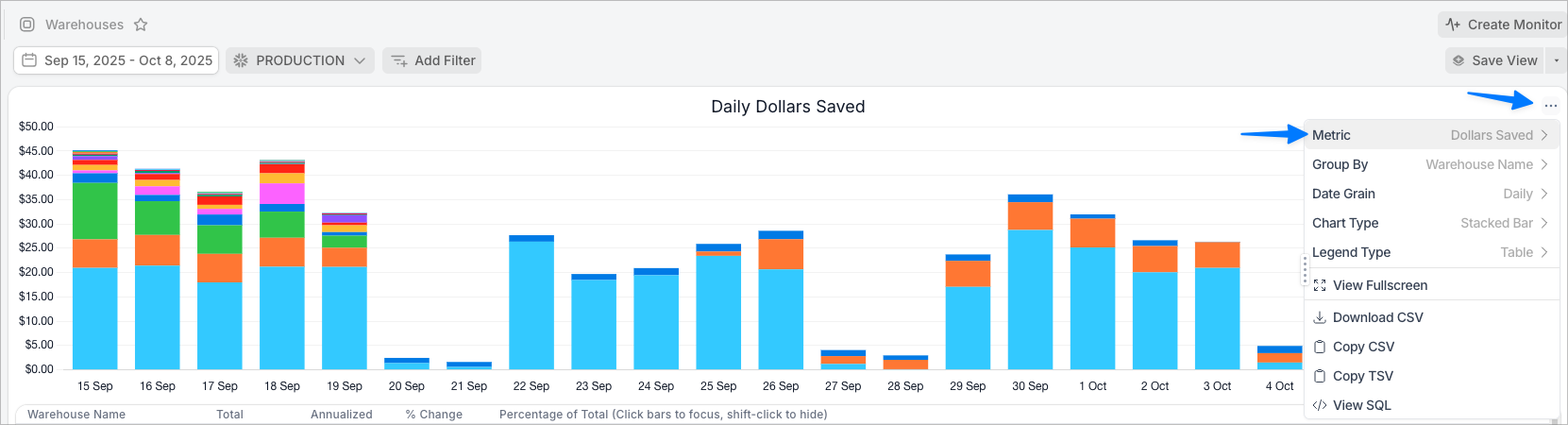
If you want to see a grand total annualized number, click the 3 dots again, Group By None.
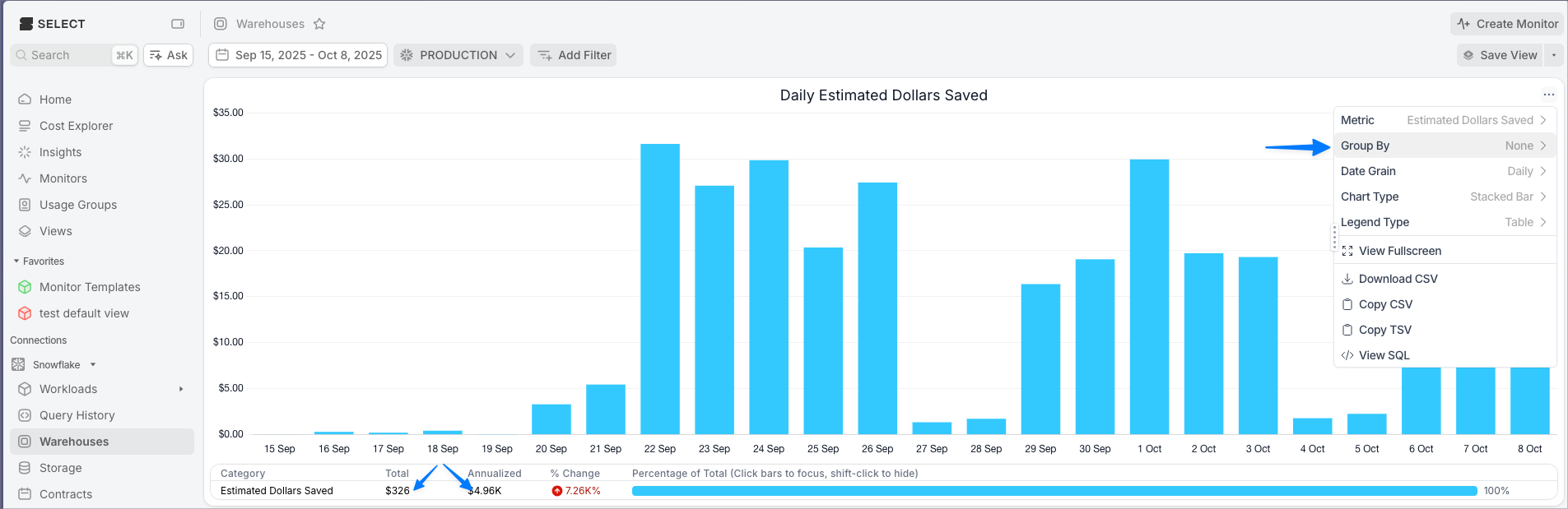
At the bottom of the chart, you'll see two numbers:
Total. This is the total dollars saved in the time period. In this screenshot, it is $326 between the period of Sep 15 to Oct 8.
Annualized. This is the projected annualized savings based on the selected time period. For example, if the savings pattern from the current period continues, the projected annual savings from this example would be $4.96K/year. This annual savings projection is calculated based on the average daily savings in the observed time period.
Please note, this number can be skewed by days where the feature was not enabled. In the screenshot above, you can see that Sep 15-18 were abnormally low, which could be due to the feature not being enabled on all warehouses. Including this in your analysis could skew the annualized number lower since it lowers the average daily savings used in the projection.